Automating Supplier Price & Inventory Sync Without Code Using Make.com, n8n & Google Sheets
Stop paying for thousands of wasted automation operations. Design lean n8n and Make.com supplier sync flows with SKU diff hashing, HTTP backoff, and exception alerts.

Senior Data Specialist & Automation Architect
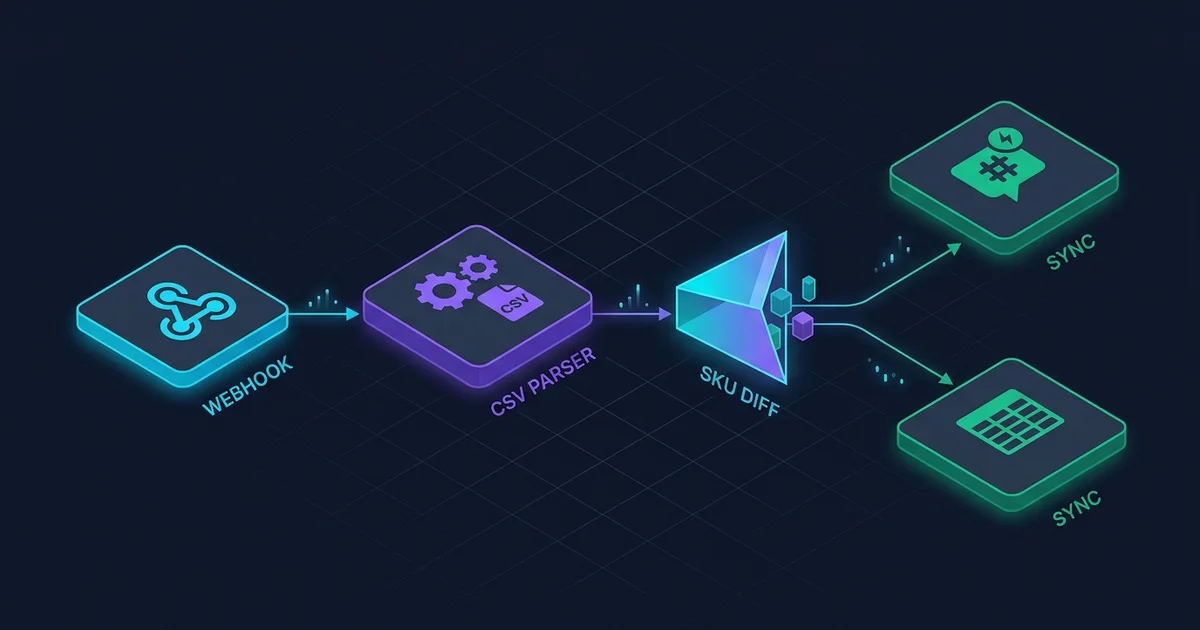
Connecting a supplier's CSV price feed to your Shopify or WooCommerce storefront inside visual tools like Make.com or n8n feels magical on day one—until the first monthly invoice arrives.
If a rookie automation iterates across a 3,500-SKU supplier sheet every two hours and calls the Shopify Admin API blindly on every line, your workflow burns over 40,000 operations daily updating SKUs whose price and stock never moved an inch.
Resilient no-code and low-code integrations behave like disciplined ETL pipelines. By combining Google Sheets diff checks, clean CSV normalization, and conditional routers in n8n or Make.com, you slash wasted API operations by 95% while keeping storefront counts rock-solid.
1. Filtering Down to Changed SKUs Using Diff Hashing
On a typical distributor catalog of 4,000 products, fewer than 3% to 5% of items change stock quantity or wholesale cost on an average business day.
Pushing updates strictly for modified SKUs accomplishes two huge wins: your task bill collapses, and your store stays comfortably below WooCommerce/Shopify REST rate limits.
Implement change detection easily right inside an intermediate Google Sheets tab or an n8n Code node before hitting store endpoints:
- Ingest Raw Supplier Snapshot: Pull the daily distributor CSV or XML link into a dedicated
_Feed_Incomingstaging tab. - Generate Composite State Keys: Compute a simple deterministic signature string per SKU combining Stock Status, Warehouse Qty, and Wholesale Price (
SKU|Qty|Cost). - Compare Against
_Feed_Live_State: Use a lightweight lookup or JavaScriptMapinside n8n to emit only items whose new state key differs from the previous run.
// n8n Code Node: Emit only SKUs whose Qty or Cost actually changed
const prevMap = new Map(
  $items("Load_Previous_Snapshot").map((item) => [
    String(item.json.sku).trim(),
    String(item.json.qty) + "|" + String(item.json.cost),
  ])
);

const changed = [];
for (const item of $items("Parse_New_Supplier_CSV")) {
  const sku = String(item.json.sku || "").trim();
  if (!sku) continue;
  const nextSig = String(item.json.qty) + "|" + String(item.json.cost);
  if (prevMap.get(sku) !== nextSig) {
    changed.push({ json: { ...item.json, syncReason: prevMap.has(sku) ? "MODIFIED" : "NEW_SKU" } });
  }
}
return changed;
2. Choosing Between n8n & Make.com for Catalog Volume
Both platforms handle scheduled HTTP pulls and spreadsheet writes cleanly, yet their pricing mechanics push large catalog stores in distinct directions:
| Operational Trait | Make.com | n8n (Self-Hosted or Cloud) |
|---|---|---|
| Billing Model | Per individual module operation | Per full workflow execution (unlimited loop rows) |
| Best Catalog Fit | Order routing, small alerts, <1,500 daily delta rows | 5,000–50,000+ SKU CSV transforms & diff pipelines |
| Custom JS/Python Logic | Formulas + basic text aggregators | Full built-in JavaScript & Python Code nodes |
3. Protecting Storefronts With Circuit-Breaker Thresholds
Never connect an external vendor file directly to live product status without a sanity circuit breaker. Every year, wholesalers suffer silent feed hiccups—emitting empty CSV rows, truncated prices missing decimal points, or an accidental header column shift.
Pushing a corrupted feed blindly marks your bestsellers Out of Stock during peak afternoon ad spend.
Insert a hard Router Gate right after parsing the incoming feed:
- Minimum Row Count Floor: If incoming CSV row count drops more than 20% below yesterday's baseline, abort storefront writes immediately and fire a Slack alert.
- Mass Zero-Out Guardrail: If more than 35% of modified SKUs flip from In Stock to Zero in a single run, pause updates for manual VA verification.
- Decimal Price Sanity Gate: Reject negative numbers, zero retail prices, or abrupt 80%+ sudden price drops before touching live checkout totals.
4. Respecting Storefront API Throttles & Error Logging
Both WooCommerce REST API v3 and Shopify GraphQL Admin API throttle aggressive bursts smoothly only when workflows respect retry headers. Enable retry-with-backoff modules (HTTP 429 / 503) inside Make or n8n and batch Shopify stock changes via GraphQL bulk mutations.
Route failed SKU rows straight into a tidy _Sync_Errors sheet so staff resolve edge cases in minutes next morning.
5. Handling Discontinued vs. Backordered Items Automatically
Simply matching today's supplier file against active SKUs misses one silent operational leak: what happens when a distributor deletes a discontinued jacket row completely from tomorrow's CSV?
If your automation only loops over rows present in today's file, missing discontinued items stay stuck showing "In Stock" on your live store forever until a frustrated buyer orders an item that no longer exists.
Close this gap cleanly with a Set-Difference Sweep Node right after delta filtering:
- Grace Window Detection: Track a lightweight
Missing_Dayscounter inside_Feed_Live_Statewhenever an active supplier SKU vanishes from the incoming feed. - Temporary Drop vs. End-of-Life: Hold status cautiously for 24–48 hours if missing once (often just a temporary warehouse count glitch), zero out storefront stock automatically on Day 2, and queue a Slack note for SEO
301archive redirects after 14 consecutive missing days.
6. Combining Scheduled Polling With Real-Time Order & Low-Stock Webhooks
Reserve fast webhook listeners for urgent events like sudden stockouts on flagship hero items, while leaving bulky 5,000-row distributor CSV sweeps on predictable off-peak cron schedules (such as 3:30 AM and 1:30 PM warehouse time).
Mixing scheduled batch diffs with real-time low-stock Slack pings balances responsiveness, low task consumption, and storefront uptime.
7. Simple Observability: Daily Summary Digests & Dead-Letter Error Sheets
Automations break quietly when nobody looks at execution logs until a customer complains three days later.
Conclude every scheduled Make.com or n8n pipeline run by logging one concise run summary row inside a _Run_Logs Google Sheet tab: timestamp, rows parsed, diff SKUs pushed, missing SKUs flagged, API error count, and elapsed runtime.
When zero errors occur, a short Slack summary confirms everything synced cleanly. Whenever errors exceed zero or a circuit breaker trips, route direct links to failing SKU rows inside _Sync_Errors so any operations assistant resolves corrupted vendor lines safely in under five minutes.
8. Staging Webhooks, Idempotency Keys & Credential Hygiene
Never deploy a newly edited inventory or price scenario directly onto a live merchant store before completing two full staging checks.
Configure separate Test Environment connections pointed strictly at a staging WooCommerce URL or Shopify Development store first, verifying ten sample products update cleanly without corrupting tags or HTML formatting.
- Store Credentials in Built-In Vaults: Keep Shopify Admin tokens, WooCommerce Consumer Secrets, and Google Service Accounts inside native Make.com Connections or encrypted n8n Credentials rather than pasting keys inside plain HTTP request headers.
- Keep Retries Strictly Idempotent: Updating absolute stock counts (for instance setting
inventoryQuantity = 42) stays safe across duplicate retries, whereas relative delta decrements (subtracting stock twice) cause instant warehouse drift. - Document Ownership & Failure Recovery Steps: Pin a brief one-page SOP inside Notion or Google Docs covering trigger schedules and API key rotation dates. Include clear manual pause and recovery steps so any teammate handles an offline distributor server calmly.
Frequently Asked Questions
Common operational inquiries related to Automating Supplier Price & Inventory Sync Without Code Using Make.com, n8n & Google Sheets
Want Your Google Sheets & Inventory Models to Run Automatically?
Stop fixing broken VLOOKUPs manually. Book a free 15-minute review to design clean QUERY dashboards, data validation gates, and Apps Script workflows.
Written by Wp Hossain (Mikail Hossain)
Senior Spreadsheet & Operations Engineer with 7+ years building Apps Script feeds, SQL QUERY dashboards, and error-proofed master workbooks (4.9/5 across 82 Fiverr reviews).